How to Complete Boutique Hair Event The Sims Freeplay

This event is intended so that you simers can get cool Hair Models for Girl Sim.
Completing a Boutique Hair Event only lasts for 7 days. Your job is to collect 12 items of design as much as 9x.

Here’s How to Complete The Sims Freeplay Boutique Hair Event

1. Do a Hobby Fashion Designer by clicking on Fashion Studio. Fashion Studio can be purchased at the promotion building, r our hobby

2. Increase the Hobby Fashion Designer Level. Increases the level of hobby useful to unlock any collectible. Because collectible must open first before it can be collected.

3. Collect 12 Design Items as much as 9x

4. Each time you collect 12 Design Items, click “Reset The Collection” so you can start collecting again

TIPS to complete completing a Boutique Hair Event on time:

a. Order 2 or more sim to do this hobby. The more sim that participate, the faster you collect item designs. The faster collecting Design Items, the more likely it is to be able to complete this Event on time.

b. To collect Design items, I suggest to do “Fashion Design” (Click Fashion Studio, select “Design Fashion”) many times. Because this is the fastest, and will make you find more item designs.

c. As said above, to be able to collect design items, you have to open all items by making the sim at level 6 in the Hobby Fashion Designer. To increase your hobby level, do “Creat Next Big Thing” (Click Fashion Studio, select “Creat Next Big Thing”)

d. Don’t forget to click “Reset The Collection” every time you collect 12 Design Items.

There are 9 hair models. Which means, 1x you have finished collecting 12 design items, you will get 1 hairstyle.

How to Complete Custom Closets Live Event The Sims Freeplay

These Custom Closets are a Live Event. Which means that you complete this event not by completing the Quest, but by collecting the specified items.

This event lasts for 7 days. To complete this Event, you must collect Arts and Craft. To collect Arts and Craft, you must use Craft Station which can be found in the Event Inventory section.

In this event you will also be given a Tasks (Task) which can also help you collect Arts and Craft. Each time you complete each task, you will get a prize that can be claimed in DAILY GOALS (click the CLOSETS image in the left corner).

Here how to complete Tasks Custom Closets Live Event The Sims Freeplay:

Place a crafting station = Place the Candle Station in a sim house that you can find in the Event section Inventory.

Make some arts and crafts items = Click Candle Station, select “Make 50 Candles”

Restock a crafting station = Click Candle Station, select “Restock 2 uses”.

Buy Reflection Eternal  = To buy Boutique wallpapers and floors, click on the CLOSETS image, click “purchase”.

Use a coin flower patch = Place the Flower Patch (which is for planting crops) on the sim home page (can be found in the event section inventory). Click Flower Patch, select “Coin Flower Patch”

Check the daily goals = Click CLOSETS in the top left corner, and click the Daily goals tab. click Claim.

Don’t forget to claim your prize every day.

Collect bonuses = Click the candle image above the sim head. Usually the image appears when sim is using Craft Station.

Continue collecting arts and crafts items = Continue to collect Arts and Craft.

Arts and Crafts Stations
There are 4 Craft stations that you can use in this Event:
a. Candle Station
b. Pottery Station
c. Jewelry Station
d. Glassware Station

Price of Candle Station:
First purchase price: Geratis
Second: S2,000
Third: S4,000
Fourth: S10,000

You can buy a maximum of 4 candle stations.

Pottery Station Price:
First Purchase: S5,000
Second: S7,500
Third: S10,000
Fourth: S15,000

You can buy a maximum of 4 pottery stations.

Jewelry Station Price:
First Purchase: S7,500
Second: S15,000
Second: S20,000

You can buy a maximum of 3 Pottery

Price of Glassware Station:First purchase: S7,500
Second: S25,000

You can buy a maximum of 2 Glasswere Station

Restocking
Each Station (except the first Candle station) is covered with 9 Stocks, which means you have to use this Station 9 times before restock.

When it’s time to restock, you will be given 2 choices
Restock 18 uses = Will be finished instantly but requires 10SP
Restock 9 uses = takes 2 hours 30 minutes and is free

NOTE: If you move the station into your inventory, you will lose the entire stock so that when you put it back in the sim house, you have to restock from the beginning.

PROGRES EVENT

Click CLOSETS to see the progress of this event.

The first tab is “DAILY GOALS”. Show Tasks and claim buttons that can be clicked when you have completed tasks.

Don’t forget to claim every day

The second tab is Custom Closets Progress. Shows how much craft you collect. The more you collect, the more and coolest gifts you will get.

If the progress has passed the key picture, click “purchase” then you will get the prize. The prize can be found at the Home Store.

The following prizes that you will get in the Custom Closets Live Event:

1. Reflection Eternal. Requires 50 candles to be able to “Purchase”

2. Plush Lounge. Requires 750 candles and 5 constructor coins to be able to “Purchase”.

3. Chaise Chic. Requires 2,200 candles and 15 constructor coins to be able to “Purchase”.

4. Pro Fashional Wardrobes. Requires 6,500 candles, 4,850 pottery and 50 constructor coins to be “Purchase”.

5. Double Trouble Wardrobes. Requires 8,800 candles, 6,500 pottery and 70 constructor coins to get “Purchase”.

6. Vanity Flair. Requires 9,145 pottery, 9,650 jewelry and 95 constructor coins to get “Purchase”.

7. Glamorous Chandeliers. Requires 9,750 pottery, 10,000 jewelry and 105 constructor coins to get “Purchase”

8. Coat Couture. Requires 10,000 pottery, 11,000 jewelry, 11,000 glassware and 110 constructor coins to get “Purchase”

9. Dress to Impress. Requires 11,500 pottery, 12,000 jewelry, 12,000 glassware and 120 constructor coins can be “Purchase”

10. Accessory Necessities. You can only purchase this section after you purchase all of the prizes above. These Accessory Necessities contain Bag Cabinets and Shoe Cabinets

BIBLIOGRAPHY

How to Complete Outdoors Event The Sims Freeplay

This event is intended so that you simers can get tents for camping, yard lights, and some new plants that will add to your garden decoration choices!

Outdoors Event only lasts for 10 days. Your job is to collect 12 items of collectible as much as 7x.

Here’s how to complete The Sims Freeplay Outdoors Event:

1. Do Survival Hobby by clicking on the Bag in the Campground, select “Explore”.

2. Increase the Level of Hobby Survival. Increases the level of hobby useful to unlock any collectible. Because collectible must open first before it can be collected.

3. Collect 12 Survival Items 7 times

4. After completing 12 Survival Items, click “Reset The Collection” so you can start collecting again

TIPS to complete Outdoors Event Event on time:

Order 2 sim to do this hobby. One sim using Survivalist Gear (Bag) in the Campground. The other Sim uses Survivalist Gear (Bag) in the neighboring Campground (Neighbors)

There are 7 gift packages at this Event. Which means, once you finish collecting 12 Survival Items, you will get 1 Gift Package.

How to Complete Back to The Wall Quest

Back to the wall is the latest discovery quest from The Sims Freeplay.

By completing this Discovery quest you can use different wallpapers in 1 room!

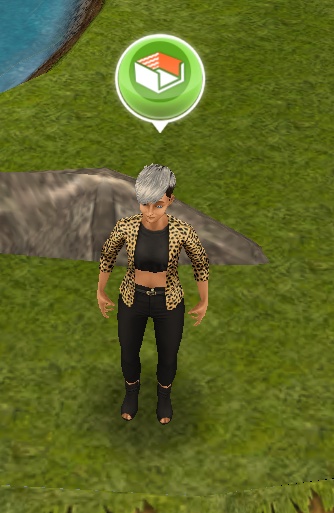
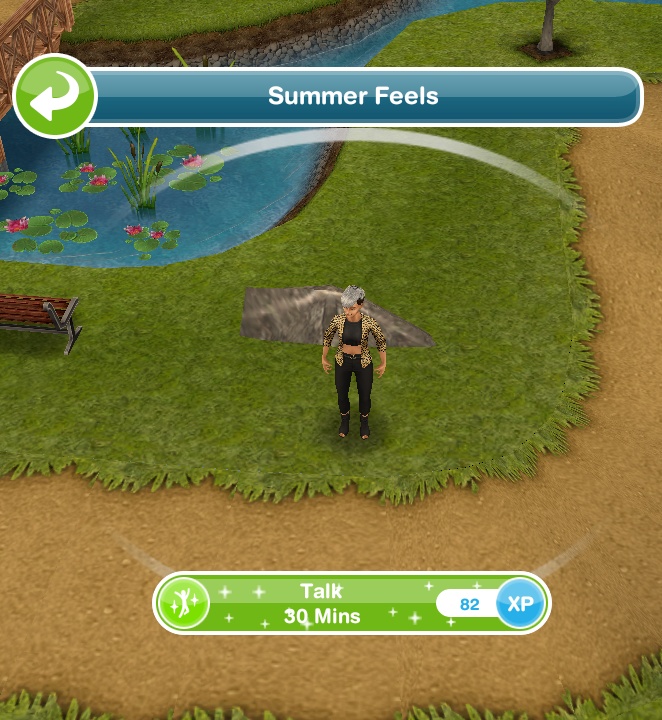
To start Back to The Wall Quest, you must meet Summer Feels in the city park.

This quest has a time limit of 7. If you can complete the quest on time, you will get more wallpapers and new floors.

But if you can’t complete this quest on time, you will still be able to use different wallpapers in one room, but won’t get new wallpaper and flooring.


Here’s how to complete Back to The Wall Quest The Sims Freeplay

Talk to Summer Feels *30 minutes = click summer, select “talk”

Send sim home = Order sim to go home

Panic about competition *1 hour 15 minutes = Click the X mark in front of the sim house, select “Panic about competition”

Read inferior designs magazine *2 hours 15 minutes = Click on a magazine that can be purchased in the home store section of the “living room”, select “inferior design”

Browse new trends *2 hours 40 minutes  = Click the computer, select “brows new trends”

Add new flooring = Change the color of the floor of a room

Get another sim’s opinion *4 hours 5 minutes  = Click on another sim, select “Get opinion on floor”

Contemplate design *3 hours 40 minutes = Click the sofa, select “Complate design”

Call Summer Feels *48 seconds = Click telp, select “call summer feels”

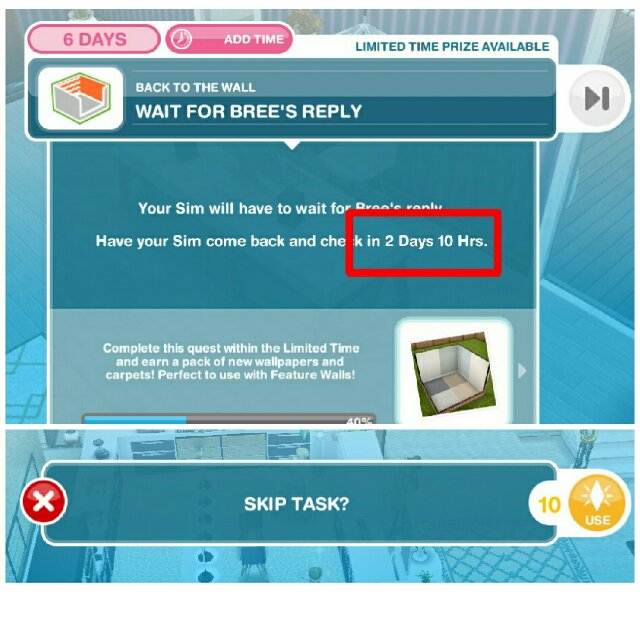
Wait for Summer to be free = You have to wait 24 hours (the time listed may vary, you can just look at the circled task board section to find out how long it will take), before you can continue the next task. Or if you don’t want to wait, you can skip using 10LP.


Ask for advice from Summer *1 hour 15 minutes = Click on summer in the city park, select “ask for advice”

Eavesdrop on Summer *2 hours 15 minutes = Click the X near the city park lake, select “Eavesdrop on summer”

Apologise to Summer *1 hour 35 minutes = Click summer, select “Apologise to summer”

Draw up unique concepts *1 hour 16 minutes = Click a chair, select “draw concepts”

Discuss feature room designs 4 times *2 hours 15 minutes = Click on another sim, select “Discuss design”. Order 4 sim pairs to do this. 1 pair consists of 2 sim. So you need 8 sim to advance this task.

Research designs *2 hours 20 minutes = Click the computer, select “Research design”

Have a tantrum *45 minutes = Click the garbage in front of the sim house, select “have tantrum”

Clean up rubbish *2 hours 35 minutes = Click on garbage littered near the trash can, select “Clean rubbish”

Phone Bree *2 hours 40 minutes = Click on the phone, select “Call Bree”

Wait until Bree is available = You have to wait 24 hours (the time listed may vary, you can just look at the circled task board section to find out how long it will take), before you can continue the next task. Or if you don’t want to wait, you can skip using 10LP.

Watch DIY Homes 6 times *2 hours 40 minutes = order 1 sim Click tv, select “watch DIY Homes”, and 5 sim click the same tv select “join in”

Look for Bree’s email *1 hour 15 minutes = Click on a magazine that can be purchased in the home store section of the “living room”, select “look for bree’s email”

Call 7 sims about DIYHomes magazine *2 hours 50 minutes = Click on the phone, select “Call about DIYHomes magazine”. Instruct 7 aim to do this task together to save time.

Look for Bree’s email *1 hour 8 minutes = Click the installer, select “Look for Bree’s email”

Take photo of design *4 hours 55 minutes = Click on the sim, select “photograph design”

Email Bree the photo *5 hours 30 minutes = Click on the computer, select “email photo to bree”

Wait for Bree’s reply = You have to wait 24 hours (the time listed may vary, you can just look at the circled task board section to find out how long it will take), before you can continue the next task. Or if you don’t want to wait, you can skip using 10LP.

Check mail for Bree’s letter *1 hour 35 minutes = Click the mailbox, which is in front of the sim house, select “Check for bree’s letter”

Go to the park = Order sim to visit a city park

Inspect a thoughtful man *2 hours 25 minutes = Click the sitting statue in the city park, select “inspect”

Inspect a cartographer’s conundrum *2 hours 15 minutes = Click the toilet, select “inspect”

Inspect something fishy *2 hours 5 minutes = Click on the X sign near the city park lake, select “inspect”

Find and inspect a griller in the mist *2 hours 15 minutes = Click the BBQ in the city park, choose “inspect”

Inspect a box of soap *2 hours 35 minutes = Click the chocolate box in the city park, select “inspect”

Mark letter K on chessboard *4 hours 55 minutes = Click the chessboard in the city park near the sitting statue, select “Mark Letter K”

Wait for Kewl to arrive
= You have to wait 24 hours (the time listed may differ, you can just look at the circled task board section to find out how long it will take), before you can continue the next task. Or if you don’t want to wait, you can skip using 10LP.

Talk to Kewl Tones *2 hours 45 minutes = Click Kewl Tones in our park, change “Talk”

Ponder about Kewl Tones *4 hours = Click on my park, select “ponder about kewl”
Offer Kewl Tones redemption *5 hours 45 minutes = Click kewl, select “offer redemption”

Send sim home = Order the sim to go home

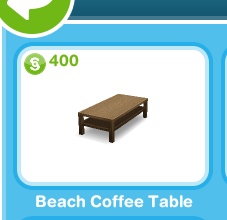
Place a coffee beach coffee table
= Buy a” beach coffee table “in the home store section of the ” living room”

Place ‘elegant dining table’ = Buy “elegant dining table” in the home store section “dining room”.

Place a “sleep around the clock bed” = Buy “sleep around the clock” in the “bedroom” section of the home store.

Go to the park = Order sim to visit a city park

Try to wake Kewl Tones *7 hours 15 minutes = click kewl sleeping on a park bench, select “try to wake”

Wait for Kewl Tones to wake up = You have to wait 24 hours (the time listed may vary, you can just look at the circled task board section to find out how long it will take), before you can continue the next task. Or if you don’t want to wait, you can skip using 10LP.

Talk to Kewl Tones *5 hours 35 minutes = click kewl, select “talk”


Have two sims decipher the list *7 hours 15 minutes= Click on another sim, select “Decipher List”

Place ‘beige carpet’ in a room
= Change the floor of the sim room by opening the home store section “Flooring” select “beige carpet”

Place some new wallpaper = Change room sim wallpaper (choose any wallpaper)

Place some more wallpaper = Change Sim room wallpaper again (choose any wallpaper)

Discuss multiple wallpapers *4 hours 55 minutes = Click another sim, select “Discuss wallpaper”

Ask Kewl about multiple wallpapers *6 hours 8 minutes = Click on the privacy in the city park, select “discuss wallpaper”

Creat a feature wall = Try changing the wallpaper of a room in the sim house.

Then there will be 4 green boxes. The box you click will change to the wallpaper you just selected.

If you change your mind and don’t want the box you just clicked on. You can click the box again so that the wallpaper doesn’t apply

Wait until walls are dry = You have to wait 24 hours (the time listed may vary, you can just look at the circled task board section to find out how long it will take), before you can continue the next task. Or if you don’t want to wait, you can skip using 10LP.

Photograph the house *30 minutes  = Click the X in front of the sim house, select “photograph the house”

Submit design to Summer *14 minutes = Click computer, select “submit design”

Thank Bree *36 minutes = Call, select “Thank bree”

Go to the park = Order sim to visit a city park

Debrief Kewl about interior design *1 hour 45 minutes= Click Kewl, select “Debrief”

Take selfie with Kewl *1 hour 15 minutes = Click Kewl, select “selfie”

Speak to Summer Feels *2 hours 55 minutes  = Click summer, select “speak”

Have interview with Summer *3 hours 10 minutes = Click summer, pause “interview”

Thank Kewl Tones *4 hours 55 minutes = Click Kewl, select “Give Thanks”

Say goodbye to Kewl Tones *8 hours 16 minutes = Click Kewl, select “Say Goodbye”


QUEST COMPLETE!

In my opinion, it will save more time if you skip by using 10LP on the “wait” task.

But the risk is, in the “wait” task the next time it takes to wait will be longer. So if you decide to use LP from the beginning, it’s good to use it in the next “wait” task.

If calculated, it seems impossible to complete this quest for 7 days if you don’t do Skip using 10LP.

After all, this is Discovery Quest. Like DIY Homes: Peaceful Patios Quest and other discovery quests,

You can start Back to The Wall Quest whenever you want. You don’t have to do it right now.

You can take the LP first before starting this quest.

Again, there’s no need to worry if you can’t complete this quest on time. Because even though you can’t finish back to the wall quest on time, you can still complete the quest and use different wallpapers in one room, it’s just that you won’t get new wallpaper and flooring.

How to Complete Designer Rug Event The Sims Freeplay

This event is intended so that you simers can get additional cool carpet models! You can find the carpet carpet in the “Rugs” Home Store section

The Designer Rug Event only lasts for 7 days. Your job is to collect 18 Fish Items (collectible) as much as 7x.

Here’s how to complete the Designer Rug Event for The Sims Freeplay:

1. Doing Fishing Hobby by clicking Lake in the city park. Besides the lake in the city park you can also use the lake in the campground

2. Increase the level of hobby fishing. Increases the level of hobby useful to unlock any collectible. Because collectible must open first before it can be collected.

3. Collect 18 Fish Items as much as 7x

4. Each time you collect 18 Item Fish, click “Reset The Collection” so you can start collecting again

TIPS
for completing the Designer Rug Event on time:

a. Order 2 or more sim to do this hobby. The more sim that participate, the faster you collect Fish items. The sooner you collect Item Fish, the more likely it is to be able to complete this Event on time.

b. To collect Fish items, I suggest to do “Go Fishing” (Click Lake, select “Go fishing”) many times. Because this is the fastest, and will make you find more Fish items.

c. As said above, to be able to collect item fish, you have to open all items by membut sim at level 6 in Fishing Hobby. To increase your hobby level, do “24 hour Fishathon” (Click the lake, select “24 hour Fishathon”)

d. Don’t forget to click “Reset The Collection” every time you collect 18 Fish Items.

There are 7 rugs. Which means, once you finish collecting 18 Fish items, you will get 1 Carpet.

How to Complete Baby Onesies Event The Sims Freeplay

This event is intended so that you simers can get cute clothes for Baby Sims.

Baby Onesies Event only lasts for 7 days. Your job is to collect 12 items of Melody (collectible) as much as 7x. All you have to do is:

Here’s how to complete the Baby Onesies Event The Sims Freeplay:

1. Perform Musical Expressions Hobby by clicking Xylophone. Xylophone can be purchased at the promotion r us part of the hobby

2. Increase the Hobby Musical Expressions Level. Increases the level of hobby useful to unlock any collectible. Because collectible must open first before it can be collected.

3. Collect 12 Melody items as much as 7x

Click here to find out more about Hobby The Sims Freeplay

4. Each time you collect 12 Melody items, click “Reset The Collection” so you can start collecting again

TIPS for completing The Charming Barber Hair Event on time:

a. Order 2 or more sim to do this hobby. The more sim you participate, the faster you collect melody items. The faster collecting Melody Items, the more likely it is to be able to complete this Event on time.

b. Don’t forget to click “Reset The Collection” every time you collect 12 Melody Items.

There are 7 clothing models. Which means, 1x you have finished collecting 12 melody items, you will get 1 cute clothes for baby sim.

How to Open the Entire Store at Sunset Mall The Sims Freeplay

This article describes how to open all the shops in Sunset Mall The Sims Freeplay.

Before you can visit Sunset Mall, you must build it, and complete The Sunset Mall Quest.

There are 2 floors at the sunset mall. Below we will explain how to open a shop and facilities on the first and second floors of Sunset Mall The Sims Freeplay

NOTE:
To clean the area in the Sunset Mall The Sims Freeplay, all you have to do is click on the item, garbage, or spot with the exclamation mark above, and click the option that appears

You can order 10 Sims at once to work together to clean the sunset mall at one time. By ordering lots of sim at once, you can clean the sunset mall faster and of course can save time.


THE FIRST FLOOR

You must complete The Sunset Mall Quest to be able to visit the Mall for the first time. After you finish The Sunset Mall Quest, you can immediately clean the area at Sunset Mall

Here’s how to clean and open the area and shop at Sunset Mall The Sims Freeplay

Here’s how to clean and open the area and shop at Sunset Mall The Sims Freeplay


AREA 1

To open this area, you must complete The Sunset Mall Quest
After that, clean up garbage and items scattered in the area

AREA 2
To open area 2, you must complete The Sunset Mall Quest
This area is to the right of Area 1. This area 2 will lead you to the Modeling Catwalk. By building a Catwalk Modeling, sim can have a Catwalk Hobby.

Before heading to Modeling Catwalk, you have to clean up garbage and items scattered along the road to Modeling Catwalk.

After you finish cleaning, please click on the Catwalk stage, select “Build”

AREA 3
To open area 3, you must clean Area 2 and build 5 stores.
After you open 5 shops, you can start cleaning Area 3 so you can open area 4.

AREA 4
To open area 4, you have to clean area 3 and build 8 shops.

AREA 5
To open Area 5, you must clean Area 4 and build 8 stores.

Area 5 is the area that leads to the Bowling room. By building a bowling room, sim can have a hobby of Bowling.

To open a Bowling Area, you must complete the Catwalk Hobby first.


How to open / Unlock the existing store on the 1st floor of Sunset Mall The Sims Freeplay

Before building a shop at Sunset Mall you must open it first.

Note the map above. The number on the map is the shop store on the 1st floor of the sunset mall.

To open stores number 1 and 2, you must complete The Sunset Mall Quest

To open stores number 3-13, you must complete the Catwalk Hobby

To open stores number 15 and 16, you must complete the Hobby Bowling

To open the Pickle Sauce Burger Bar (on the 2nd floor), you must complete The Sunset Mall Quest on time. But if you can’t complete The Sunset Mall Quest on time, you can still build it by clicking Pickle Sauce, selecting “build”.

To open the Juice Bar (on the 2nd floor), you must complete the Hobby Bowling first. Then click Juice Bar, select “build”

To go to Level 2 at Sunset Mall, you can click the up down sign on the right of the screen

THE SECOND FLOOR

You have to build an escalator near Burger Bar so you can go up to the 2nd floor, and complete the Pretty Little Planters Quest to be able to access and build facilities at 2nd floor Sunset Mall The Sims Freeplay

Here’s how to clean and open the 2nd floor area and shop at Sunset Mall The Sims Freeplay

AREA 1
To open this area, you must complete the Pretty Little Planters Quest, and clean up the trash and items scattered around the area

AREA 2
To open this area, you have to build 4 shops on the 2nd floor, and clean up the garbage and items scattered in the area

By cleaning this area, you can open Makeup Kiosk. After building Makeup kiosk, sim can have Makeup Artist Hobby

AREA 3

To open this area, you have to build 8 shops on the 2nd floor, and clean up the garbage and items scattered around the area

AREA 4
To open this area, you have to build 12 stores on the 2nd floor, and clean up garbage and items scattered around the area

By cleaning this area, you can open the Bargain Center Fashion Hunter. After building a Fashion Hunter Bargain Center, sim can have a Fashion Hunter Hobby

How to open / Unlock existing stores on the 2nd floor of Sunset Mall The Sims Freeplay

Note the map above. The number on the map is the shop store on the 2nd floor of the sunset mall.

To open shop numbers 1 – 4, you must complete the Pretty Little Planters Quest.

To open stores number 5-8, you must complete the Makeup Artist Hobby

To open stores number 13-16, you must complete the Hobby Bowling

To open Photoboots, you clear the Memory Lane area

To open the Wumples Play Center, you must complete the Pretty Little Planters Quest

To open Cinema, you must complete Fashion Hunter Hobby

To open the Indoor Skydiving Center, you must complete the Fashion Hunter Hobby on time!

To open the Coin Fountain, you must complete the Makeup Artist Hobby on time!

After you build a shop in Sunset Mall, you will get additional clothes, makeup and shoes. To buy these items at Sunset Mall, you can click the icon as shown below.

Or you can also buy it through the Wardrobe sim and click the store image tab on the right

How to Complete Chic Boutique Live Event


This Chic Boutique is a Live Event. Which means that you complete this event not by completing the Quest, but by collecting the specified items.

This event lasts for 10 days. To complete this Event, you must collect Arts and Craft. To collect Arts and Craft, you must use Craft Station which can be found in the Event Inventory section.

In this event you will also be given a Tasks (Task) which can also help you collect Arts and Craft. Each time you complete each task, you will get a prize that can be claimed in DAILY GOALS (click MANNEQUINS image in the left corner).

Here how to complete Tasks Chic Boutique Live Event The Sims Freeplay:

Place a crafting station = Place the Candle Station in a sim house that you can find in the Event section Inventory.

Make some arts and crafts items = Klik Candle Station, pilih “Make 50 Candles”

Restock a crafting station =  Klik Candle Station, pilih “Restock 2 uses”.

Make some arts and crafts items = Click Candle Station, select “Make 50 Candles”

Restock a crafting station = Click Candle Station, select “Restock 2 uses”.

Buy Boutique wallpapers and floors = To buy Boutique wallpapers and floors, Click on the MANNEQUINS image, click “purchase”.

Use a coin flower patch = Place the Flower Patch (which is for planting crops) on the sim home page (can be found in the event section inventory). Click Flower Patch, select “Coin Flower Patch”

Check the daily goals = Click MANNEQUINS in the top left corner, and click the Daily goals tab. click Claim

Don’t forget to claim your prize every day.

Collect bonuses = Click the candle image above the sim head. Usually the image appears when sim is using Craft Station.

  
Continue collecting arts and crafts items = Continue to collect Arts and Craft.

Arts and Crafts Stations
There are 4 Craft stations that you can use in this Event:
a. Candle Station
b. Pottery Station
c. Jewelry Station
d. Glassware Station

Price of Candle Station:
First purchase price: Geratis
Second: S2,000
Third: S4,000
Fourth: S10,000

You can buy a maximum of 4 candle stations.

Pottery Station Price:
First Purchase: S5,000
Second: S7,500
Third: S10,000
Fourth: S15,000

You can buy a maximum of 4 pottery stations.

Jewelry Station Price:
First Purchase: S7,500
Second: S15,000
Second: S20,000

You can buy a maximum of 3 Pottery

Price of Glassware Station:First purchase: S7,500
Second: S25,000

You can buy a maximum of 2 Glasswere Station

Restocking
Each Station (except the first Candle station) is covered with 9 Stocks, which means you have to use this Station 9 times before restock.

When it’s time to restock, you will be given 2 choices
Restock 18 uses = Will be finished instantly but requires 10SP
Restock 9 uses = takes 2 hours 30 minutes and is free

NOTE: If you move the station into your inventory, you will lose the entire stock so that when you put it back in the sim house, you have to restock from the beginning.

PROGRES EVENT

Click MANNEQUINS to see the progress of this event.

The first tab is “DAILY GOALS”. Show Tasks and claim buttons that can be clicked when you have completed tasks.

Don’t forget to claim every day

The second tab is Chic Boutique Progress. Shows how much craft you collect. The more you collect, the more and coolest gifts you will get.

If the progress has passed the key picture, click “purchase” then you will get the prize. The prize can be found at the Home Store.

The following prizes that you will get in the Chic Boutique Live Event:

1. Boutique Wallpapers and Floors. Requires 50 candles to be able to “Purchase”

2. Round Display Pedestals. Requires 750 candles and 5 constructor coins to be able to “Purchase”.

3. Square Display Pedestals. Requires 2,300 candles and 10 constructor coins to get “Purchase”.

4. Dazzling Partitions and Lights. Requires 6,100 candles, 3,300 pottery and 35 constructor coins to get “Purchase”.

5. Chic Sign and Wall Mirrors. Requires 9,100 candles, 5,000 pottery and 55 constructor coins to get “Purchase”.

6. Wall Plants and Floor Mirrors. Requires 7.445 pottery, 7.850 jewelry and 80 constructor coins to get “Purchase”.

7. Floor Plants and Knitwear. Requires 10,000 pottery, 10,500 jewelry and 105 constructor coins to get “Purchase”

8. Bag Display and Dress Racks. Requires 12,500 pottery, 13,000 jewelry, 13,000 glassware and 135 constructor coins to get “Purchase”

9. Coats and Shoes Display. Requires 13,000 pottery, 14,000 jewelry, 14,000 glassware and 145 constructor coins can be “Purchase”

10. Frilled Tops and Leather Pants. Requires 14,000 pottery, 15,000 jewelry, 15,000 glassware and 150 constructor coins can be “Purchase”

11. Maxi Dresses. Requires 15,500 pottery, 16,500 jewelry, 16,500 glassware and 170 constructor coins can be “Purchase”

18. Chic Boutique. You can only purchase this section after you purchase all of the prizes above.

This Chic Boutique contains Boutique items such as changing rooms, cash register, sofa, Manneqens and many more.

BIBLIOGRAPHY

How to Complete Long Hair Event The Sims Freeplay

This event is intended so that you simers can get a Long Hair Model for Girl Sim.

Long Hair Event only lasts for 7 days. Your job is to collect 12 items of collectibles as much as 9x. All you have to do is:

1. Do a Fashion Designer Hobby by clicking on Fashion Studio. Fashion Studio can be purchased at the promotion r us in the hobby section

2. Increase the Fashion Designer Hobby Level. Increases the level of hobby useful to unlock any collectible. Because collectible must open first before it can be collected.

3. Collect 12 Design Items as much as 9x

4. Each time you collect 12 Design Items, click “Reset The Collection” so you can start collecting again

TIPS for completing the Long Hair Event on time:

a. Order 2 or more sim to do this hobby. The more sim that participate, the faster you collect item designs. The faster collecting Design Items, the more likely it is to be able to complete this Event on time.

b. To collect Design items, I recommend doing “Fashion Design” (Click Fashion Studio, choose “Design Fashion”) many times. Because this is the fastest, and will make you find more item designs.

c. As said above, to be able to collect design items, you have to open all items by making the sim at level 6 in the Fashion Designer Hobby. To increase your hobby level, do “Creat Next Big Thing” (Click Fashion Studio, select “Creat Next Big Thing”)

d. Don’t forget to click “Reset The Collection” every time you collect 12 Design Items.

There are 9 hair models. Which means, 1x you have finished collecting 12 design items, you will get 1 hairstyle.